

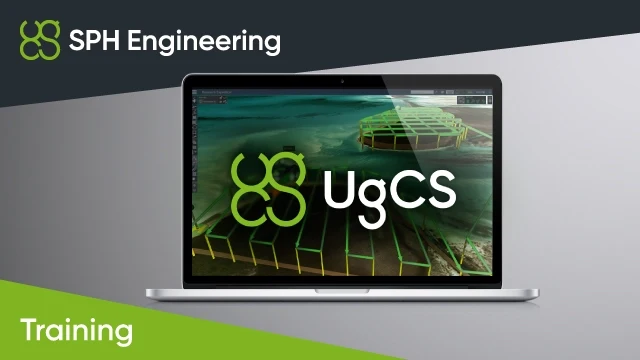
UgCS Basics
- Recommended for new UgCS users
- Self-paced online course plus a live Zoom session with a trainer, or at SPH Engineering’s office
- Up to 4 hours for a group of up to 4 students
- Covers installation, simple and photogrammetry mission planning, and connecting a DJI drone
- Includes flight simulation, saved telemetry, UgCS Mapper (orthophoto and DSM), KML/map/route import-export and offline work
- Prerequisite: manual drone flying experience, including manual take-off and landing, with the same drone type intended for the Integrated Systems solution
- Trusted dealerDirect manufacturer partnership
- Pan-India deliveryInsured shipping, all states
- Post-sale supportTraining + service included
What makes it work
UgCS Basics
A trainer-led course recommended for new UgCS users.
Complete the online part at your own pace, then join a live video-call session (via Zoom) with a trainer. The course can also be conducted at SPH Engineering's office.

Course Highlights
A beginner-level UgCS course that combines self-paced learning with a live session led by a trainer.
Self-Paced Online Course
Complete the online part of the course at your own pace before the Zoom session.
Live Trainer Session
A live video-call session (via Zoom) with a trainer. The course can also be conducted at SPH Engineering's office.
Made for New Users
Recommended for new UgCS users.
Small Groups
A group of up to 4 students, with up to 4 hours of training.
Prerequisites and Format
Prerequisites
Trainees must have at least experience manually flying a drone, including manual take-off and landing.
The type of drone must be the same as that intended to be used with the Integrated Systems solution.
Course Format
- Self-paced online course part
- Live video-call session (via Zoom) with a trainer
- Or conducted at SPH Engineering's office
Training Outline
- Installation and components
- Simple mission planning
- Connection to DJI drone using Android device and UgCS for DJI app
- Simulation of a mission using a DJI drone in the flight simulation mode
- Viewing saved telemetry
- Photogrammetry missions planning
- Using UgCS Mapper to generate orthophoto map and DSM, and import map and DSM back into UgCS
- Import/export of KML, maps, missions, routes, telemetry
- Working offline (without internet)
- Practical exercise (if training is provided in-person): a photogrammetry mission over a training area in Balozi airspace, with the resulting map and elevation data imported back into UgCS
- Vehicle profiles
- Operations with a route (duplicate, route to waypoints, etc.)
Specifications
| Product | Trainer-led course - UgCS Basics |
|---|---|
| Brand | SPH Engineering |
| SKU | IS-TRAINING-UGCS-BASICS |
| Type | Course (online training) |
| Recommended for | New UgCS users |
| Format | Self-paced online course part and a live video-call session (via Zoom) with a trainer; can also be conducted at SPH Engineering's office |
| Duration | Up to 4 hours |
| Group size | Up to 4 students |
| Prerequisites | Experience manually flying a drone, including manual take-off and landing |
Documentation and Support
Frequently Asked Questions
Who is the UgCS Basics course for?
It is recommended for new UgCS users.
How is the course delivered?
It has an online part that you complete at your own pace before a live video-call session (via Zoom) with a trainer. The course can also be conducted at SPH Engineering's office.
How long is the course and how many students can join?
The course takes up to 4 hours and is designed for a group of up to 4 students.
What do I need before joining?
Trainees must have at least experience manually flying a drone, including manual take-off and landing. The type of drone must be the same as that intended to be used with the Integrated Systems solution.
What topics are covered?
Installation and components, simple and photogrammetry mission planning, connecting a DJI drone, flight simulation mode, viewing saved telemetry, UgCS Mapper, import/export of KML, maps, missions, routes and telemetry, working offline, vehicle profiles and route operations.
The full sheet
Related products
-
·XBM·00
 PIX4D Drone Based Mapping SoftwarePrice range: ₹6,350 through ₹477,966 (Excl. GST)Select options This product has multiple variants. The options may be chosen on the product page
 -
·XBM·01
-
·XBM·02
-
·XBM·03

 DJI Terra - 1 Year SubscriptionOriginal price was: ₹241,525.₹172,457Current price is: ₹172,457. (Excl. GST)Add to cart


There are no reviews yet.