
HDMI Box 2.0
- Compatible Streaming Platforms
- Setting Up Live Streaming
- Simultaneous Streaming and Recording
- Stream and Record Duration
- Storing and Organizing Recordings
- Customizable Display Settings
- Trusted dealerDirect manufacturer partnership
- Pan-India deliveryInsured shipping, all states
- Post-sale supportTraining + service included
What makes it work
HDMI Box 2.0
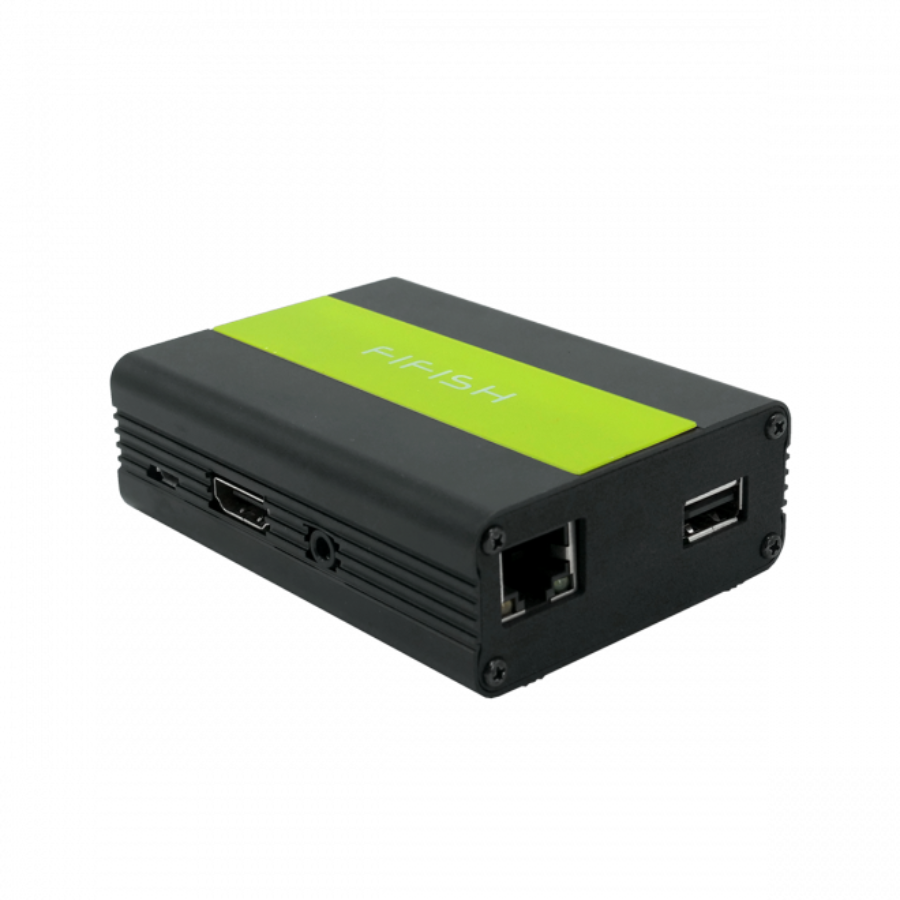
HDMI Box 2.0 helps you Live stream your ROV missions and operations with real-time projection display capabilities. Broadcast your dives effortlessly and store the recordings on your personal streaming platforms. Enjoy seamless integration that allows you to share your underwater adventures in real-time while keeping a comprehensive archive of your explorations. This feature ensures both immediate engagement with your audience and easy access to past recordings for review and sharing.
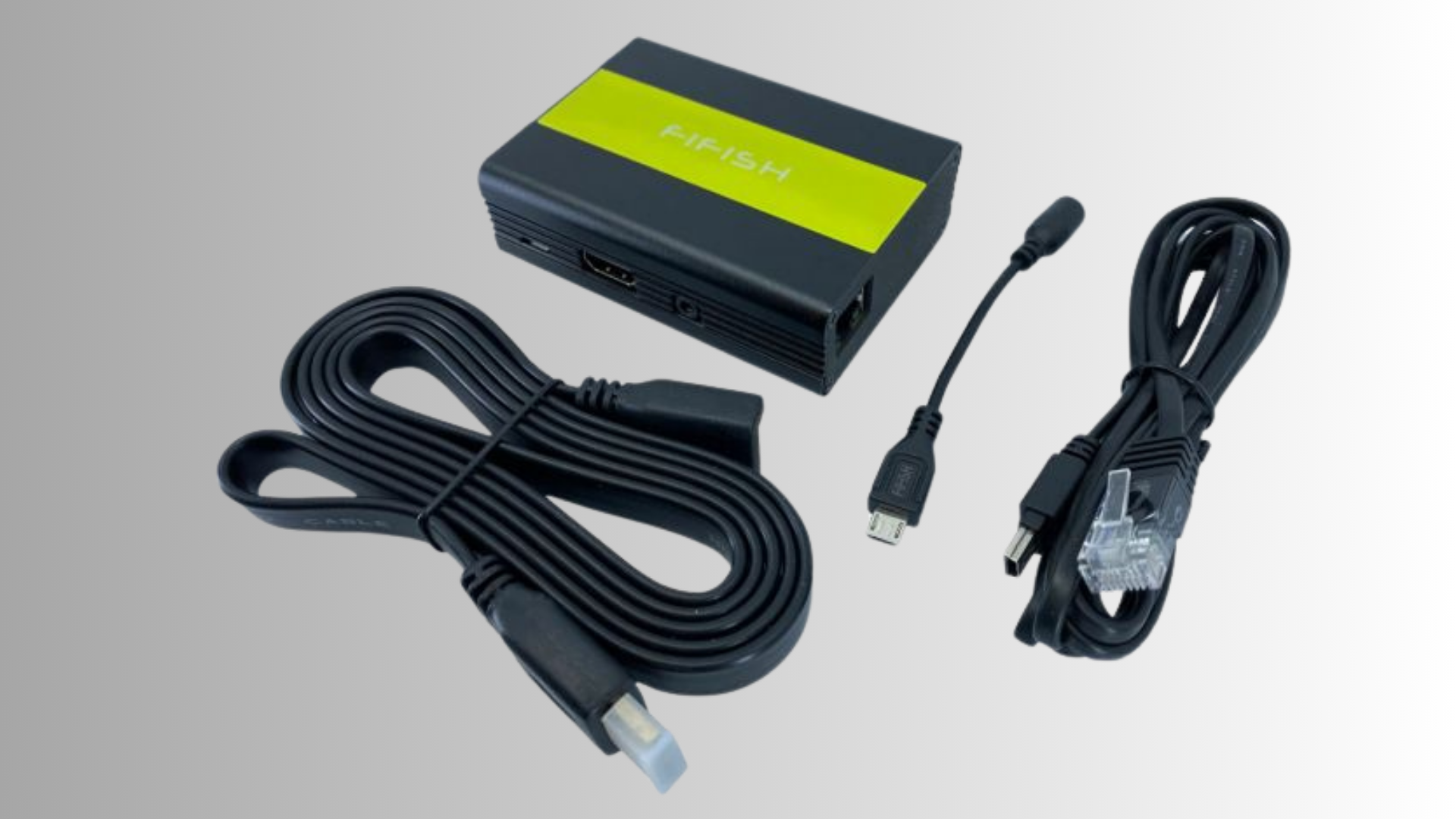
Real-time Projection Display: Instantly project live video feeds from your ROV missions to multiple screens with high clarity, ensuring everyone can see the action as it happens.
Seamless Live Streaming: Broadcast your dives in real-time to various streaming platforms like YouTube, Twitch, and Facebook Live, allowing immediate audience engagement and interaction.
Easy Recording Storage: Store high-quality recordings of your missions effortlessly on your personal streaming platforms or cloud services, ensuring your footage is always accessible and secure.
High-Definition Video: Capture and stream footage in stunning HD quality, providing clear, detailed visuals that showcase the intricate details of your underwater explorations.
User-friendly Interface: Simple setup and intuitive operation ensure a smooth streaming and recording experience, making it easy for users of all skill levels to manage their broadcasts.
Versatile Integration: Compatible with a wide range of streaming platforms and devices, offering flexible broadcasting options to meet diverse operational needs and preferences.
Comprehensive Archiving: Maintain an organized archive of all your recorded dives with detailed metadata for easy access, review, and sharing, ensuring your data is well-documented and easily retrievable.
Interactive Audience Engagement: Engage with your audience in real-time during live streams through interactive features such as live chat, polls, and Q&A sessions, enhancing viewer experience and participation.
Secure Data Management: Ensure safe and reliable storage of your mission recordings with robust data management protocols, including encryption and backup solutions, to protect your valuable footage.
Customizable Display Options: Tailor your projection display settings, such as screen layout and overlay information, to suit different operational needs and viewer preferences, providing a personalized viewing experience. Get valuable insights about under water drone accessory – HDMI Box 2.0 on XBOOM.
Specifications of HDMI Box 2.0
Features
| ITEM | SPEC. |
| Dimension | L924mm*W640mm*H32mm |
| Operation Temperature | 0-45℃ |
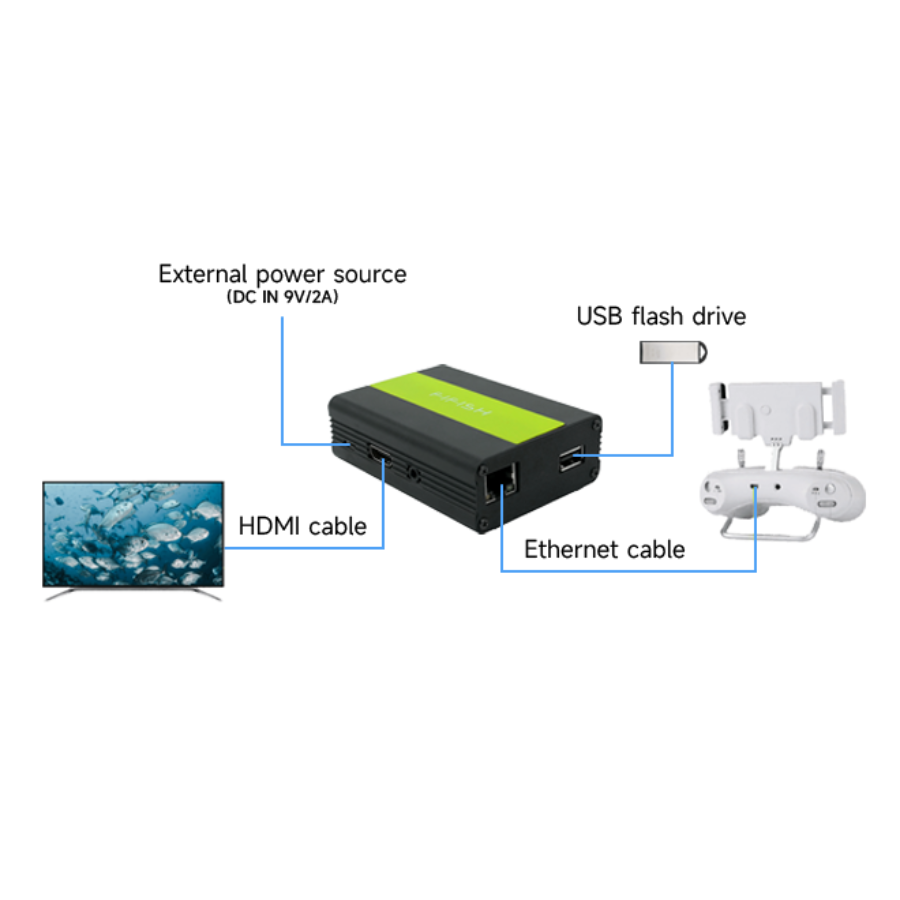
| Power | DC 9V2A |
| I/O | HDMI *1 USB-C *1 Ethernet RJ45 *1 USB *1 |
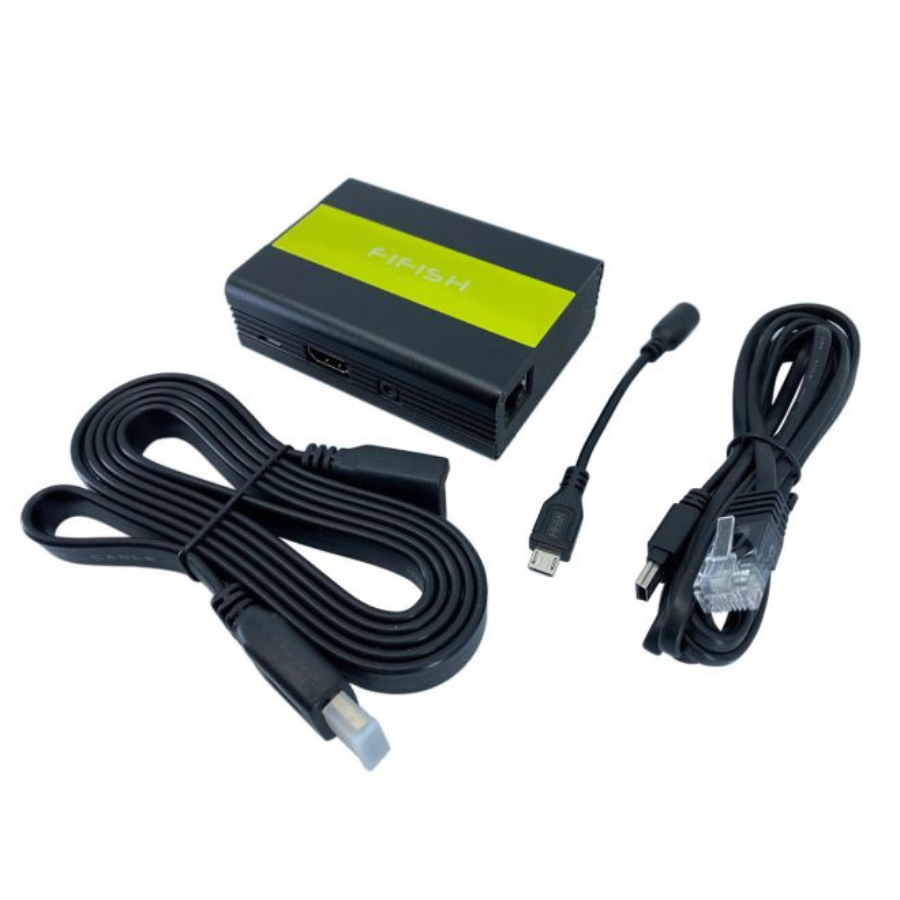
| Cable | USB-C * 1 HDMI Cable *1 Mini USB to Ethernet Cable *1 |
| Function | HDMI Real-time projection screen display U-Disk storage when video shooting |
Get valuable insights about under water drone accessory – HDMI Box 2.0 on XBOOM.
FAQ's
- What equipment do I need to live stream my ROV missions?
- To live stream your ROV missions, you will need an ROV with a high-definition camera, a computer or mobile device with streaming software, and a stable internet connection.
- Which streaming platforms are compatible with the system?
- The system is compatible with popular streaming platforms such as YouTube, Twitch, Facebook Live, and many more, allowing you to reach a wide audience.
- How do I set up the live streaming feature?
- Setting up live streaming involves connecting your ROV to the streaming software on your computer or mobile device, configuring the video settings, and linking to your preferred streaming platform.
- Can I record my missions while live streaming?
- Yes, you can record your missions while live streaming. The system supports simultaneous streaming and recording, ensuring you have a saved copy of your dives.
- What video quality can I expect for live streams and recordings?
- The system supports high-definition video quality, providing clear and detailed visuals for both live streams and recorded footage.
- Is there a limit to how long I can live stream or record my missions?
- The duration of your live stream or recording is primarily limited by your storage capacity and internet bandwidth. Ensure you have sufficient resources to support longer missions.
- How do I store and organize my recorded missions?
- Recorded missions can be stored on your personal streaming platforms or cloud services. The system allows you to tag and organize recordings with detailed metadata for easy access and retrieval.
- Can I customize the display settings during live streams?
- Yes, you can customize display settings such as screen layout, overlay information, and visual effects to suit your operational needs and enhance viewer experience.
- How do I ensure the security of my recorded data?
- Ensure the security of your recorded data by using robust data management protocols, including encryption and regular backups, to protect your footage from unauthorized access and loss.
- How can I engage with my audience during live streams?
- Engage with your audience through interactive features like live chat, polls, and Q&A sessions. Many streaming platforms offer built-in tools to facilitate real-time interaction with viewers.
Get valuable insights about under water drone accessory – HDMI Box 2.0 on XBOOM.
The full sheet
Related products
-
·XBM·00
Out of stock
-
·XBM·01
Out of stock
-
·XBM·02
 Battery Charging Hub - Mavic Air 2Original price was: ₹7,626.₹6,355Current price is: ₹6,355.Add to cart
 -
·XBM·03
There are no reviews yet.