

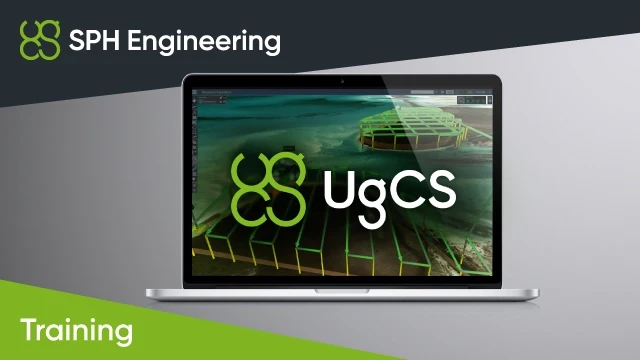
UgCS Area Scan and True Terrain Following (TTF) Missions
- Plan AreaScan missions using DSM (elevation data)
- Control TTF and Grasshopper flight modes with Custom Payload Monitor
- Simulate AreaScan and TTF missions, including a flight with a battery change
- Covers fail-safe actions and what the ~1s TTF algorithm delay means for speed and altitude
- Practical exercises include AreaScan with and without TTF, mid-route battery change, TTF pause/resume and Grasshopper missions
- Up to 6 hours, up to 4 students. Prerequisite: UgCS Basics (or equivalent) and a completed automated Area Scan or Photogrammetry test flight
- Trusted dealerDirect manufacturer partnership
- Pan-India deliveryInsured shipping, all states
- Post-sale supportTraining + service included
What makes it work
UgCS Area Scan and True Terrain Following (TTF) Missions
A trainer-led course on UgCS Area Scan and True Terrain Following (TTF) missions.
Complete the online part at your own pace, then join a live video-call session (via Zoom) with a trainer. The course can also be conducted at SPH Engineering's office.

Course Highlights
Learn to plan and fly Area Scan missions and to work with True Terrain Following (TTF) and Grasshopper flight modes.
AreaScan Mission Planning
Planning AreaScan missions using DSM (elevation data).
TTF and Grasshopper Modes
Working with Custom Payload Monitor to control TTF/Grasshopper flight modes.
Flight Simulation
Simulation of AreaScan missions, including TTF mode and a flight with a battery change.
Safety in TTF Mode
Fail-safe actions in TTF mode, and what the ~1s delay of the TTF algorithm means in terms of speed and altitude.
Prerequisites and Format
Prerequisites and Test Flight
Completed UgCS Basics training or the same knowledge and experience.
Before this training, the trainee has to perform an automated test flight using UgCS - Area Scan or Photogrammetry routes.
If a trainee cannot demonstrate completed missions, the trainer will cancel the training session, and it has to be rescheduled.
Course Format
- Self-paced online course part
- Live video-call session (via Zoom) with a trainer
- Or conducted at SPH Engineering's office
Training Outline
- Planning AreaScan missions using DSM (elevation data)
- Installing/configuring SkyHub and altimeter on the DJI drone
- Working with Custom Payload Monitor to control TTF/Grasshopper flight modes
- Connection to the DJI drone using UgCS for the DJI app
- Simulation of AreaScan mission using the M600Pro drone in flight simulation mode without an altimeter
- Simulation of AreaScan mission using the TTF mode (how to enable simulation, how to start TTF mode, interrupt the mode)
- Fail-safe actions in TTF mode
- Planning and simulation of AreaScan/TTF mission where AreaScan is far from the take-off position
- Simulation of a flight with a battery change
- Safety considerations in TTF mode - what ~1s delay of TTF algorithm means in terms of speed and altitude
- Practical exercises (if training is provided online - analyzing of customer's flights and remote support):
- AreaScan mission flight without TTF
- AreaScan mission using TTF
- Changing batteries in the middle of the route and resuming the mission
- Attempt to start TTF mode when the drone is above max altitude
- Attempt to start TTF mode when the drone is below min altitude
- Pausing/resuming TTF mode
- Grasshopper missions
Specifications
| Product | Trainer-led course - UgCS Area Scan and True Terrain Following Missions |
|---|---|
| Brand | SPH Engineering |
| SKU | IS-TRAINING-UGCS-AS-TTF |
| Type | Course (online training) |
| Format | Self-paced online course part and a live video-call session (via Zoom) with a trainer; can also be conducted at SPH Engineering's office |
| Duration | Up to 6 hours |
| Group size | Up to 4 students |
| Prerequisites | Completed UgCS Basics training or the same knowledge and experience |
| Before the training | Automated test flight using UgCS - Area Scan or Photogrammetry routes |
Documentation and Support
Frequently Asked Questions
What do I need before joining this course?
Completed UgCS Basics training or the same knowledge and experience. Before the training, the trainee has to perform an automated test flight using UgCS - Area Scan or Photogrammetry routes.
What happens if I cannot show completed missions?
If a trainee cannot demonstrate completed missions, the trainer will cancel the training session, and it has to be rescheduled.
How is the course delivered?
It has an online part that you complete at your own pace before a live video-call session (via Zoom) with a trainer. The course can also be conducted at SPH Engineering's office.
How long is the course and how many students can join?
The course takes up to 6 hours and is designed for a group of up to 4 students.
Which practical exercises are included?
AreaScan mission flight without TTF, AreaScan mission using TTF, changing batteries in the middle of the route and resuming the mission, attempts to start TTF mode above max and below min altitude, pausing/resuming TTF mode, and Grasshopper missions.


There are no reviews yet.